Leads, projects, costs, and results
See the full pipeline — from first contact through completed work — without juggling spreadsheets.

OptiMiser Nexus
Nexus is project tracking and a customer record for home performance contractors. It fits your job types, and it works with HPXML.
For contractors
Track critical information on leads, projects, costs, and results. Phase-specific action alerts help crews finish the data that matters at each stage, and project histories keep communication with homeowners in context.
See the full pipeline — from first contact through completed work — without juggling spreadsheets.
Prompts that support data completion at each project stage so nothing stalls in QA.
Track project and homeowner interactions so your team always has the latest context.
Give homeowners an online place to review assessment results and stay engaged with the work.
Check availability and update appointments — including Salesforce-connected scheduling workflows.
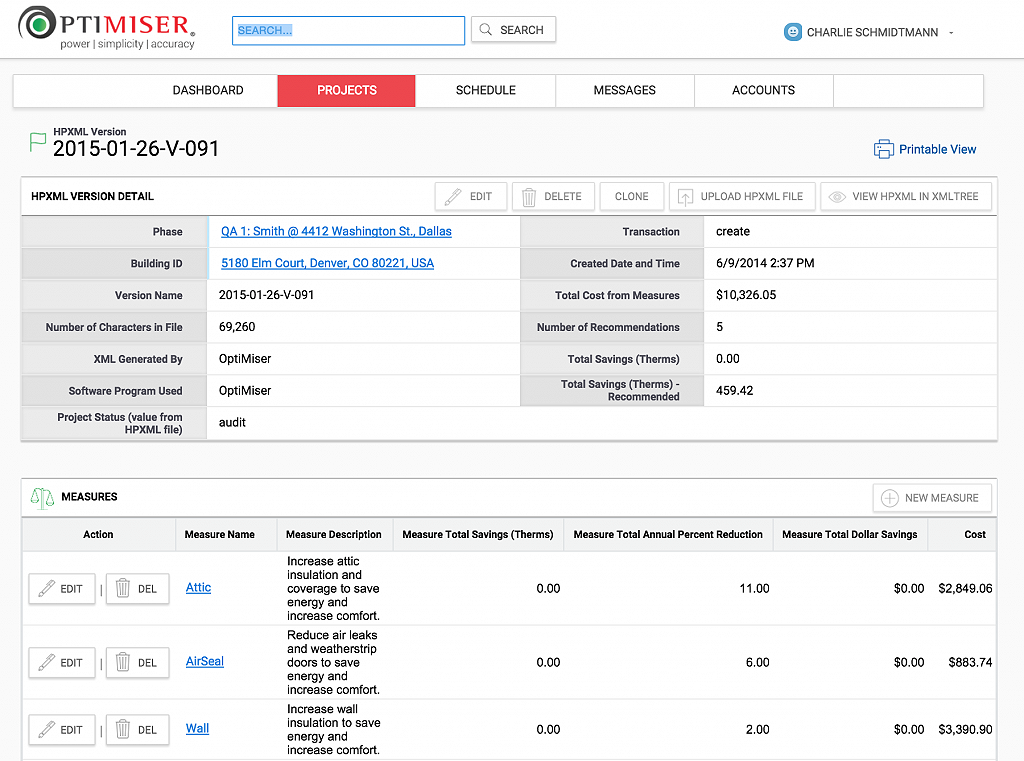
Parse and analyze HPXML files so modeled savings and project data move with the job.
For programs and agencies
Nexus also has the flexibility, security, and scalability to support full-featured program management for large programs and agencies — with HPXML upload and support for deemed and modeled savings.
In the product
Demo
Tell us how your contractors and program staff work today. We’ll walk through Nexus against your job types, reporting needs, and HPXML requirements.